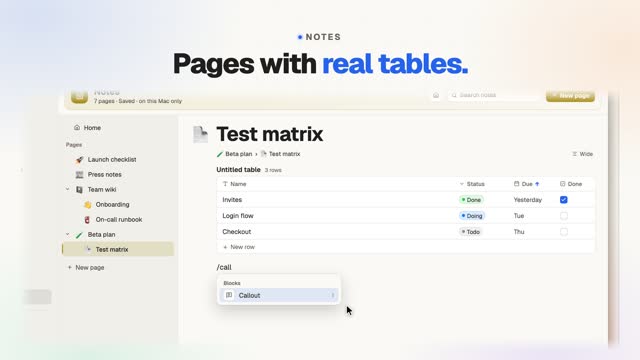
Notes walkthrough: slash commands and tables
This 32-second walkthrough follows Notes in FavTray, a Mac menu bar app for developers, one step at a time. Write with slash commands, build a table, and tick it off. You start a page with an emoji and a title, nest a subpage, and type /ta to build a Todo, Doing, Done table sorted by a header click. Callouts, card grids, toggles and Markdown shortcuts follow, then the format bar, block dragging and the Standard, Wide or Full page width.
What you’ll see
On screen
The video has music and on-screen captions, no narration. The captions, in order:
- 0:00 Pages with real tables.
- 0:02 A page, an icon, a title.
- 0:06 Nest subpages.
- 0:10 Type /ta. Get a table.
- 0:14 Callouts. Cards. Toggles.
- 0:18 Markdown just works.
- 0:22 Format on select.
- 0:26 Drag blocks. Pick a width.
- 0:30 Plain files. Free: 2 pages.